Every developer in the world will arrogantly and self-servingly let you know about their progress. As we’ve been been working towards the launch of our games, we arrogantly and self-servingly thought that some of you might also be interested in process.
We’ve previously mentioned our use of GODOT for creating our games. In addition to GODOT, there have been a few other tools that have come in handy.
To start with, a bit of a confession. As much as we love our artwork, our process is currently a touch inefficient.
First up, preliminary sketches are done with paper and pencil. Then, on a tablet, we use the app SketchClub to digitize the designs. The app and tablet is a handy, cheaper alternative to getting a Wacom tablet! With the art done in SketchClub, it is then transferred from the tablet to computer, where it is sized and cropped using GIMP. We’re also interested in trying out some of the other tools out there, so for some of the art we’ve given Krita a go instead of SketchClub.
Next up, the art files are saved as PNGs. As we want the game to load as quickly as possible and for the game size to be as small as possible, we’re optimizing as much as we can to ensure the PNG files are as small as possible too. The website TingPNG is a great tool for reducing the PNG file size and keeping the quality. The whole process can take a while, but we love the hand drawn aesthetics of our artwork and we think it really adds something to the game.
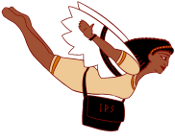
IPS player in flight
 nimmles